

Complete Customizability and Media Replacement to fit your own Style
Large Variety of Use Cases (Text, Title, Lower Thirds, Counter, Timer, etc.)
11 Unique Motion Graphic Templates for Animated Text
Simple Usability & Advanced Responsiveness
Available for Premiere Pro (Version 21 or later) or DaVinci Resolve
Achieving a cohesive visual style across all your videos is crucial for defining your brand's identity. However, crafting and preserving this style, especially for text elements, can be quite difficult if you're not an animation pro. That's where my Text Motion Graphics come in.
Featuring 11 distinct Motion Graphic Templates, you can effortlessly incorporate animated text into your videos. Plus, you can tailor the font, colors, icons, and other settings to perfectly match your unique style.
A Motion Graphics Template (MOGRT) is a standalone file for Premiere Pro or DaVinci Resolve that allows you to customize intricate animations effortlessly. Instead of spending hours watching After Effects or Fusion tutorials and creating animations from the ground up, you can make a few adjustments in your editing software and achieve impressive results in seconds.
Add text, change icons, adjust colors, and add or remove animations to fit your needs. MOGRTs are powerful tools that help you achieve a professional look while saving you a lot of time.
This is what makes MOGRTs so powerful: take your videos to the next level!
Effortlessly craft uniform text animations with just a few clicks.
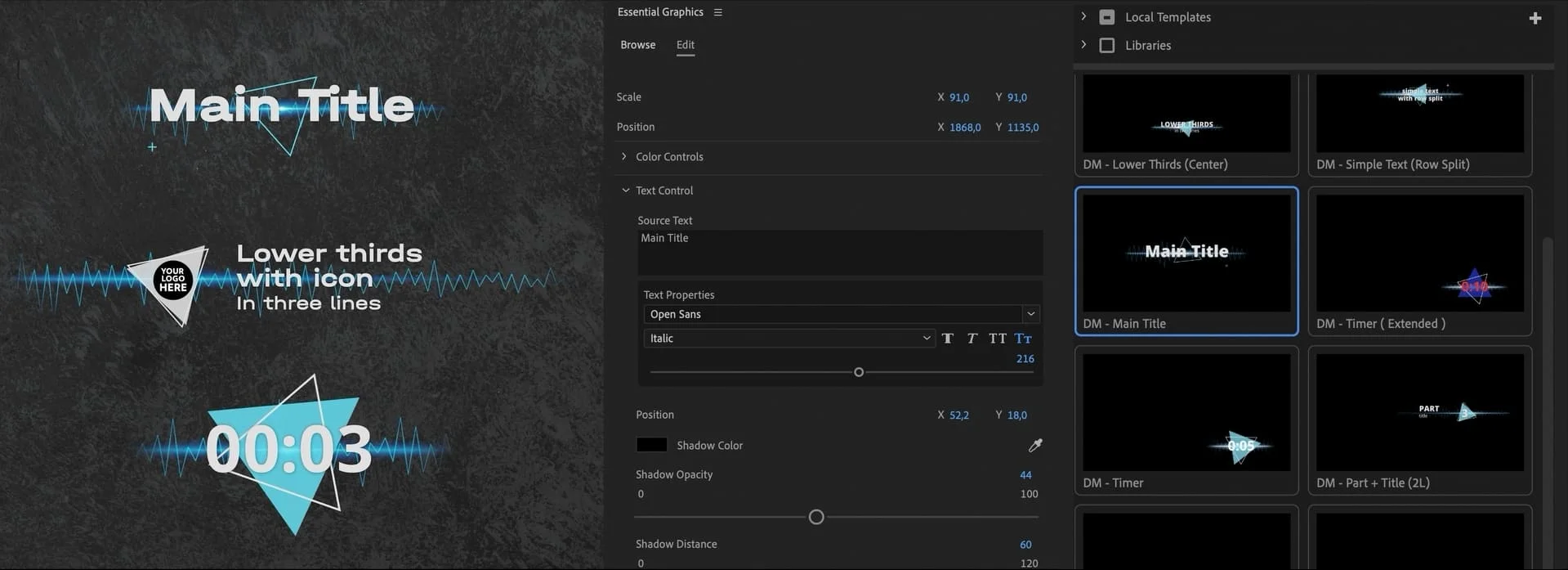
Effortlessly craft uniform text animations with just a few clicks.
Let's face it: the market is flooded with Motion Graphics Templates, but most are designed for a single purpose, like titles or lower thirds.
To truly benefit from a Text Graphics Pack, it needs to cater to all fundamental use cases, ensuring a consistent style across all your text elements. That's why we've gone the extra mile to provide templates for 11 different scenarios, covering any situation you might encounter.
Being an editor, I aimed to ensure this pack offers a seamless and straightforward editing experience. I prioritized a clear structure, a user-friendly interface, and minimized the need for unnecessary adjustments. To achieve this, I collaborated with an expert motion designer.
At this advanced level, animating almost resembles coding. Leveraging hundreds of expressions, my Text Motion Graphics are fully responsive, allowing you to effortlessly adjust the size of your text graphics.
Edit Motion graphic elements to reflect your unique style. With a variety of sliders, checkboxes, and drop-down menus, you have complete control over the appearance of your text animations. Customize the font, size, position, text color, wave color, shadow, and animation duration.
This level of customization allows you to create text Motion graphics that perfectly match your brand identity.
Make your brand recognizable by incorporating your own icons and logo into your text graphics. Our media replacement feature makes it easy to integrate your unique branding elements into templates like Lower Thirds.
If you need badges, we've got you covered. Each media template includes a drop-down menu with a selection of 27 different icons to choose from.
To showcase the full potential of our animations, we've included example sound effects that match each Motion Graphic. These sounds are provided for demonstration purposes only, allowing you to visualize how sound can enhance the animation.
In Premiere Pro, these demo sound effects are automatically included in the Motion Graphics Template, while in DaVinci Resolve, they can be added manually. We encourage users to substitute these demo sounds with their own preferred sound effects to fully personalize their project.
Unlock the power of Text Motion Graphics today and bypass years of animation expertise.
I will demonstrate the steps to install and utilize my Text Motion Graphics in Premiere Pro. If you have any additional inquiries, please refer to the FAQ section.
I will demonstrate the steps to install and utilize my Text Motion Graphics in DaVinci Resolve. If you have any additional inquiries, please refer to the FAQ section.